How to AI Notice Analyze: Understand Any Notice Before You…
Learn how to AI Notice. Analyse complex circulars, legal letters and college notices. Pull out the key dates, deadlines and actions in seconds.
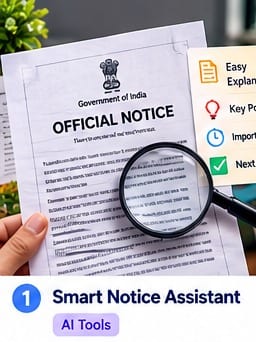
Do complex legal notices, college circulars or company letters ever seem a bit confusing? An AI Notice Analyzer can help you go through a document, spot the key dates and work out what you need to do next. Official notices can be full of formalities, fine print and conditions which are easy to miss. AI can be used as a reading aid rather than as evidence that a notice is genuine or as a substitute for the original.
In this guide 'AI Notice Analyse' means looking at the detail, checking the sources and picking a clear next step.
AI Notice Analyze: The Core Elements
- The issuer: The college, bank, company or government office that issued the notice.
- The objective is to determine if it is an announcement, a fee request, a warning or a rule change.
- Key deadlines: note the exact date and cut-off time for submission as given in the source.
- Requirements: List of forms, identity documents, fees and other required items (no guessing as to what may be missing).
Step-by-Step Guide to AI Notice Analyze
1. Check the source first.
Scams and fake messages can of course go around on social media and in messaging apps. Check the name of the sender, the letterhead, the reference number and the publication date. Check the notice on the organisation's own website or portal (ideally by going to the site yourself). For a government or education notice, check the announcement on the relevant official .gov or .edu site where appropriate. Don't just accept a notice because an AI tool can read it.
What AI Notice Analyze helps you do
AI Notice Analyse works best when you treat it as a process rather than a one click answer. You need to start by working out what the actual task is, what you already know and what decision you need to make. With Smart Notice Assistant the first useful result should be one that enables you to understand the situation and then decide what you need to look at next. Keep the key facts, dates, amounts and names as close to their source as possible. If a piece of information is missing then just note it as unknown rather than make an assumption to fill the gap.
2. Establish the primary purpose
Work out what the sender is trying to get the reader to know or to do. Is it an announcement? A request? A warning? A fee instruction? A rule change? Who is it for? Do you need to complete a form? Attend an event? Pay an authorised fee? Provide documentation? Keep the stated requirements of the notice separate from any requirements that an AI might infer.
A practical AI Notice Analyze workflow
A practical AI Notice Analyse workflow is to go from the main question to the supporting detail, then check the result before you use it. What does the sender want you to know or do? Is it an announcement, a request, a warning, a fee instruction or a rule change? Who is it for? Do you need to complete a form, attend an event, pay an authorised fee or provide documentation? Keep the requirements as stated in the notice separate from any requirements that you might infer from the AI. Extract the deadlines from the notice and make a checklist. Separate out the issue date from the last submission date and note any separate late fee deadline or cut-off time. Record the forms required, the identity documents, the fee receipt, the submission portal and the payment methods as exactly as they are stated in the notice. Never guess at an unclear date and never pay via an unverified link. For further guidance, refer to the issuer's own instructions and of course keep your own data safe. Break a complex task down into smaller checks and record the outcome in a simple list. This makes it far easier to spot what's missing, to compare the options and to be able to explain your next step to someone else. A simple checklist is generally far more useful than a long-winded answer which doesn't tell you what to do.
3. Mark the dates and action steps
Pull the deadlines out of the notice and make a checklist. Work out the difference between the issue date and the last date on which you can submit. Note any separate late fee deadline or cut-off time. Record the forms required, the ID documents, the fee receipt, the submission portal and the accepted method of payment exactly as stated. Don't guess at a date that's not clear and don't pay via a link that you haven't verified. For further advice see the official issuer instructions and of course keep your own details safe.
4. Check the small print
Check the footnotes, the attachments, the file size limits, the eligibility criteria, the category specific rules and exceptions. A small print condition can alter what you're required to do. If the notice is asking you to upload then confirm the accepted file type and size from the original instructions. A PDF reader or document viewer may help you locate a clause but you must read the full document before you do anything.
Example: using AI Notice Analyze in a real situation
Here's an example: imagine a university sends out a circular for the registration of all eligible semester students for an exam. Use the checklist below to work out what you need to check prior to doing anything. The details in the example are purely illustrative. Always refer to the actual notice for the actual dates, fees and requirements. For the AI Notice Analyse example this is just a starting point rather than a general rule. Replace the sample details with the actual details in your case and check the requirements which may differ from institution to institution, service to service, location to location and date to date. Record what you have confirmed, what you still need to check and what source you can refer to for the answer. That way the outcome is much easier to act upon and you won't be fooled by a perfectly plausible explanation into thinking it's a genuine decision.
5. Check your doubts through official channels
If the instructions are in conflict or the deadline is unclear then don't go relying on a forum post or an AI guess. Check whether there's a more recent correction or revised circular and if so, get in touch with the issuing department via the helpline or helpdesk number which will be listed on their official website (the verified one). Always quote the notice reference number and keep a record of the clarification. This is particularly important in the case of legal, financial, employment and exam notices.
Common mistakes to avoid with AI Notice Analyze
Before you go ahead and act on any AI Notice Analyse result you MUST check the result for missing context, out of date information and assumptions. You MUST check the footnotes, attachments, file size limits, eligibility criteria, category specific rules and exceptions. A small print condition could alter what you are required to do. If the notice is asking you to upload something, check the original instructions to confirm the accepted file type and size. A PDF reader or document tool may help you to locate a clause but you must still go back and read the full document before you act. If the instructions are in conflict with each other or the deadline is unclear, do not rely on forum posts or an AI guess. Check whether there is a more recent correction or a revised circular and if so, contact the issuing department via a helpline or helpdesk as listed on their official website. Quote the notice reference number and keep a record of the clarification. This is particularly important in the case of legal, financial, employment and exam notices. Never share any personal or sensitive information unless you have to and only use an official or qualified source of help if the decision you are making has legal, financial, medical, safety or employment implications. Keep a copy of the source and your final checklist where appropriate. The objective is to make a clearer, safer decision not to replace professional judgement or the original evidence.
Quick checklist
- Check the source first
- Find the main purpose
- Mark dates and action steps
- Scan the fine print
- Confirm doubts through official channels
Example
Suppose a university issues an exam registration circular to all eligible semester students. Use the following checklist to determine what you need to check prior to submitting anything. The example details are for illustrative purposes only. Refer to the actual notice for the correct dates, fees and requirements.
| Notice section | What the notice says | Your action step |
|---|---|---|
| Sender | State Board / University | Verify the notice on the official student portal |
| Notice type | Exam registration form | Confirm which semester students must submit it |
| Cut-off date | Within 7 days of the notice | Calculate the date only after confirming the issue date and any stated time zone or cut-off |
| Required items | Form A + fee receipt | Prepare the listed documents and keep a receipt |
| Unclear instruction | Conflicting or incomplete information | Contact the Examination Cell through its official channel |
Frequently asked questions about AI Notice Analyze
Can an AI tool replace the original notice?
No, use AI to get to grips with the difficult terminology and to pull out the dates rapidly. Just check your final submission and your final requirements against the original document.
What should I do if the notice is unclear?
Contact the issuing department via the helpdesk or contact details on their verified official website prior to taking any action.
What if a circular contains conflicting dates?
Check whether a correction or more recent notice has been issued. If the conflict persists then get in touch with the official helpdesk and provide them with the notice reference number.
Can an AI 'notice' analyser read scanned PDFs?
Some tools use optical character recognition (OCR) to read scanned files, but poor image quality, tables, stamps
Related practical guides
Document verification online: How to check a document for...
Learn what to review and how to confirm a document with its issuer.

Formal application format: How to write a clear formal...
Make your request clear, courteous and easy to understand.

Emergency checklist
Prioritise your safety and know when to get in touch with emergency services.